
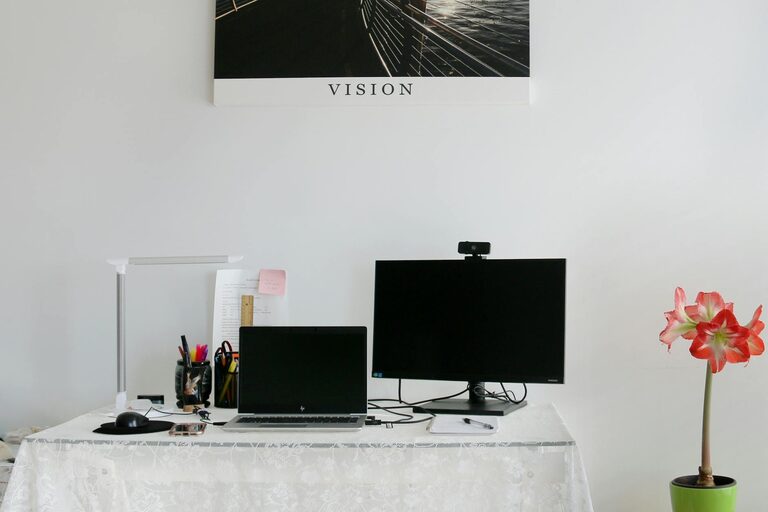
Creating a clutter-free workspace at home is essential for maintaining focus, boosting productivity, and feeling comfortable during your workday. With more people working from home than ever before, organizing your space effectively has become a priority. If your desk is overflowing with papers, your cables are tangled, or your supplies are scattered, don’t worry—these simple tips will help you create a neat and inviting workspace.
Why a Clutter-Free Workspace Matters
A clean and organized workspace helps minimize distractions, reduces stress, and makes it easier to find what you need when you need it. When your environment is cluttered, your mind can easily become overwhelmed, which can affect your ability to concentrate and complete tasks efficiently.
Step 1: Clear and Clean Your Desk
Start by removing everything from your desk to get a clear view of the surface. This gives you a fresh canvas to work with.
– Wipe down the desk with a damp cloth to remove dust and spills.
– Sort your items into three groups: keep, relocate, and discard.
– Remove anything that doesn’t serve a purpose related to your work, such as unnecessary decorations or old papers.
Keeping surfaces clear helps create a calm atmosphere that keeps your mind clear too.
Step 2: Choose Functional Storage Options
Investing in proper storage can make all the difference in organizing your workspace.
– Use drawer organizers to separate pens, paper clips, and other small items.
– Consider shelves or cubbies to keep books and binders neatly arranged.
– Use boxes or baskets to store supplies that you don’t need every day but want easily accessible.
Labeling your storage containers encourages you to return items to their designated spots quickly.
Step 3: Manage Your Cables
A jumble of cords can make even a tidy desk look chaotic. Here’s how to control them:
– Use cable clips or velcro ties to bundle and route cords neatly.
– Place a power strip on or under your desk to centralize charging needs.
– Consider wireless devices to reduce the number of cables.
Tidy cables not only improve aesthetics but also prevent accidental damage or tripping hazards.
Step 4: Limit What You Keep on Your Desk
Reserve your desk surface for essentials only.
– Keep only your computer, a notebook, a pen, and any frequently used items within arm’s reach.
– Avoid stacking multiple devices or documents unless necessary.
– If you like having personal touches, limit them to one or two small items like a photo or a plant.
This approach maintains functionality without clutter.
Step 5: Develop a Daily Clean-Up Habit
Maintaining organization is easier when you take a few minutes every day to tidy up.
– Spend five minutes at the end of your workday putting away supplies and sorting papers.
– Clear electronic notifications or clean up your digital desktop for added mental clarity.
– Regularly review your workspace to ensure nothing unnecessary has accumulated.
Building this habit helps prevent clutter from becoming overwhelming.
Step 6: Optimize Your Layout for Comfort and Efficiency
How your workspace is arranged can influence your comfort and productivity.
– Place your monitor or laptop screen at eye level to reduce neck strain.
– Position frequently used items within easy reach to minimize distractions.
– Ensure good lighting, preferably natural light, to improve alertness.
A workspace tailored to your needs makes organizing easier and work more enjoyable.
Step 7: Minimize Paper Usage
Paper clutter is a common issue. Consider these tips to reduce it:
– Switch to digital note-taking and document storage.
– Shred or recycle papers you no longer need.
– Use in-out trays to manage incoming and outgoing documents efficiently.
Smaller piles mean less cleaning and faster access to important materials.
Step 8: Create Zones if Space Allows
If you have a larger area for your workspace, dividing it into zones can improve organization.
– Designate areas for computer work, paperwork, and creative tasks.
– Keep supplies related to each zone stored nearby.
– Use rugs or furniture placement to visually separate zones.
This clarity in spaces helps you switch tasks smoothly and stay focused.
Bonus Tip: Personalize Wisely
While organization is key, a workspace should feel inviting.
– Choose a few meaningful items, like a photo, a plant, or artwork.
– Avoid overdecorating to maintain a clutter-free look.
– Ensure your workspace reflects your style without compromising tidiness.
Enjoying your space encourages you to keep it organized.
—
Organizing your home workspace doesn’t require expensive tools or complex systems. By starting with a clear desk, implementing practical storage, managing cables, and maintaining daily habits, you can create an environment that supports your productivity and well-being. Try these tips one step at a time and watch how your clutter-free space transforms your workday.